Synux provides a single OpenAI-compatible endpoint for AI models from multiple providers. You keep the SDK and request shape you already know, then select a model by changing its model ID.
One endpoint
Send model traffic to https://api.synux.ai/v1.
OpenAI compatible
Use the official OpenAI JavaScript or Python SDK with a custom base URL.
Usage visibility
Review request activity, token usage, and spend in the Synux Dashboard.
Scoped credentials
Limit an API key by model, spend, expiry date, or source IP.
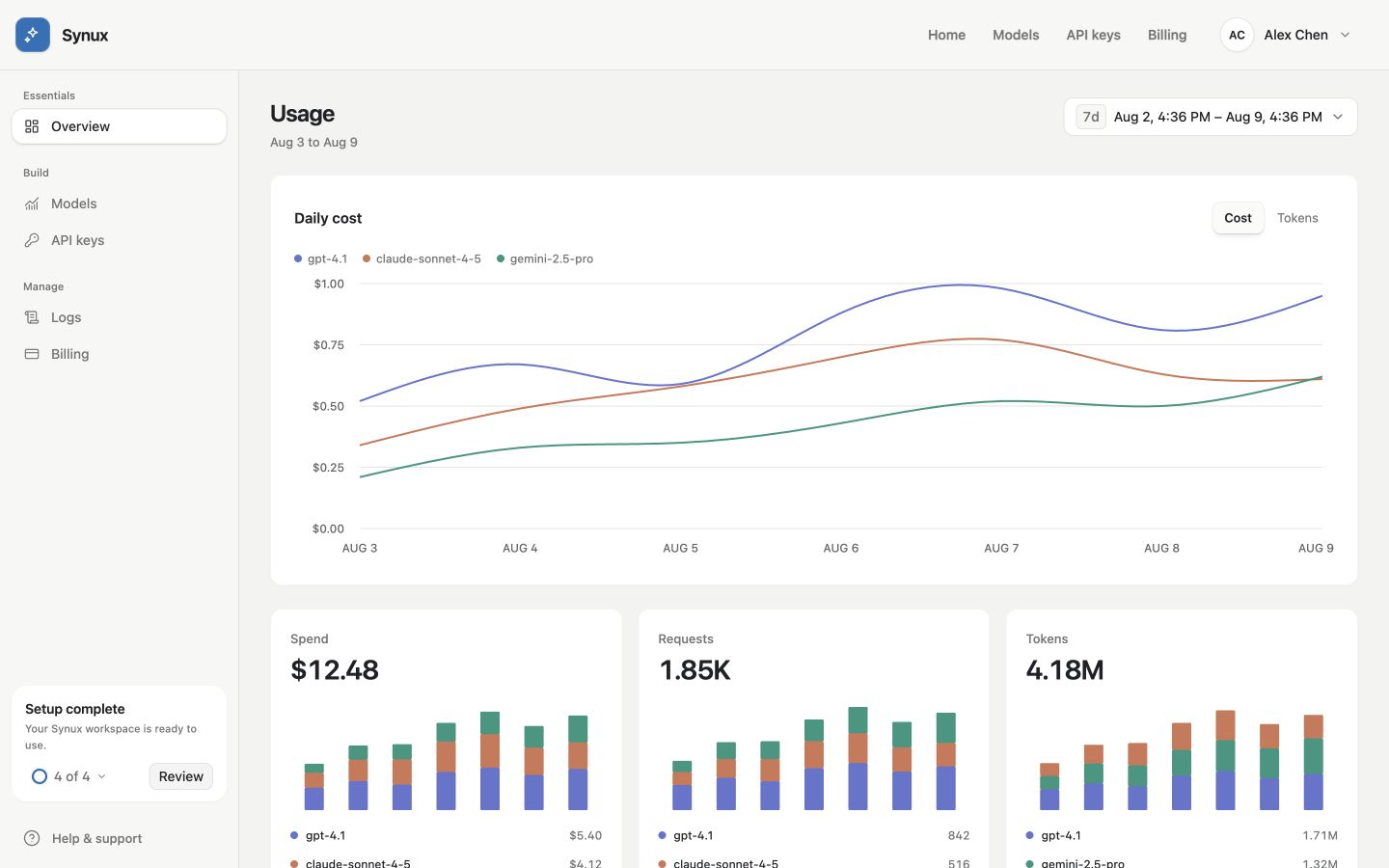
Monitor cost, requests, and token usage from one Dashboard. This screenshot uses sample data.
What you need
Before sending a request, you need:
- A Synux account.
- An API key from the API Keys page.
- A model ID from the model catalog.
- Enough account balance and key quota for the request.
Base URL
Use this base URL in every supported client:
https://api.synux.ai/v1The base URL already includes /v1. Do not append a second /v1 when you
configure an SDK.
API compatibility
The primary workflows are:
- Chat Completions at
POST /chat/completions - Responses at
POST /responses - Embeddings at
POST /embeddings - Model discovery at
GET /models
Next step
Follow the Quickstart to send your first request, or connect an OpenAI SDK if your application already uses one.